Using Playwright test shards in combination with a job matrix to improve your CI speed


Utilizing a matrix within your GitHub workflow to create a "test shard matrix" is a major improvement to your CI. This practice can cut the time in half (or better) to run your Playwright test suite.
Using the test sharding technique means that the test suite is separated into multiple chunks (shards). This can drastically improve the execution time when the different shards are tested simultaneously. To accomplish this, the test shards need to be distributed to different machines.
In this post, we'll specifically take a look at how to shard your Playwright test suite. To take full advantage of the test shards, we're also configuring a GitHub Workflow to run these tests in parallel during a CI run.
Shards in Playwright
Playwright supports the shard feature by using the shard option that can be passed via the CLI when you run the test command.
Test sharding with Playwright is especially useful when the test suite is run against multiple browsers or devices.
Let's say you run your Playwright tests against two different browsers. By default, the test command runs the same tests against the two browsers. But, by partitioning the workflow into two shards, we get:
- one shard to run the test suite against browser one;
- the other shard to run the same test suite against the second browser;
As an example. let's take a look at the following commands.
While passing the shard option to the test command, the first number (numerator) represents the shard to run, and the second number (denominator) is the amount of shards in which the test suite is split.
When the above commands are translated into a GitHub Workflow, we get the following result.
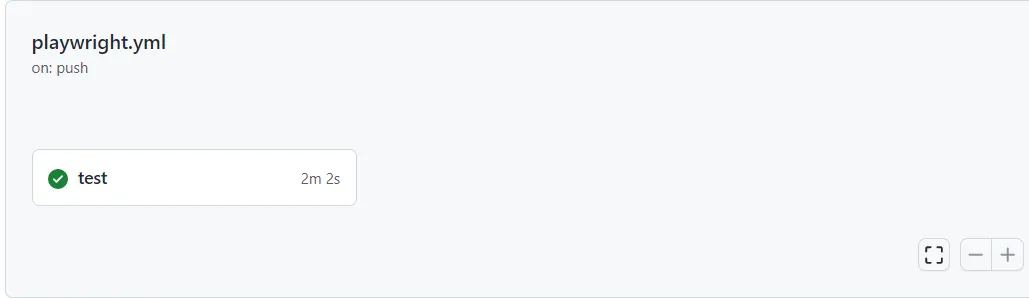
GitHub Workflow Jobs
Simply using test shards doesn't change anything in comparison to the normal test command. The tests are sharded but are still run in serial, one after each other. To take advantage of the test shards, these test shards must be run in parallel.
To run multiple tasks in parallel, the GitHub or Azure DevOps workflow needs to be divided into jobs. In the example below, two jobs are created and each job runs its shard.
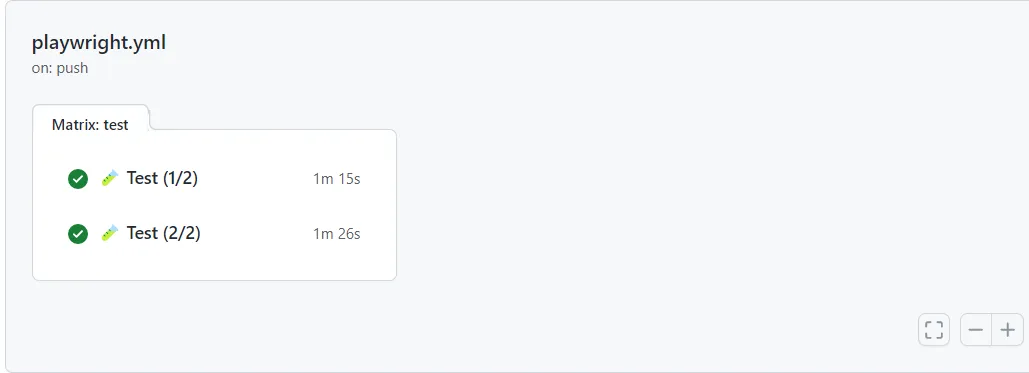
GitHub Workflow Matrix
As you can see in the above workflow, most of the steps are duplicated in the two jobs.
In fact, only the shard option is different.
This can become very bloaty, and it also consumes resources and time to maintain the workflow.
Now, imagine having more than two shards and also that the job is more complex (e.g. more steps). You can already see that this can become an issue in the future.
To improve the workflow, introduce a matrix in which the different shards options are defined.
After moving the shards in a matrix, the refactored workflow looks like this.
GitHub Workflow Caching
As you can notice, a matrix can improve the readability of the workflow, making it is clean because the duplication is removed. Much better, but we can do better.
The result is that there are now two test jobs that are repeating the same "pre"-steps.
Because each job is run on a different machine, this also means that the install (node dependencies and Playwright binaries) step is also run twice.
If this becomes a problem - in most cases this isn't - the solution is to add caching.
To do this, break the test job into two separate jobs, an install job, and a test job.
- The
installjob installs the required dependencies and adds them to a cache. - Instead of installing the dependencies in the
testjob, thetestjob now reads from the build-up cache in the previous step.
Resulting in the following workflow.
playwright.yml
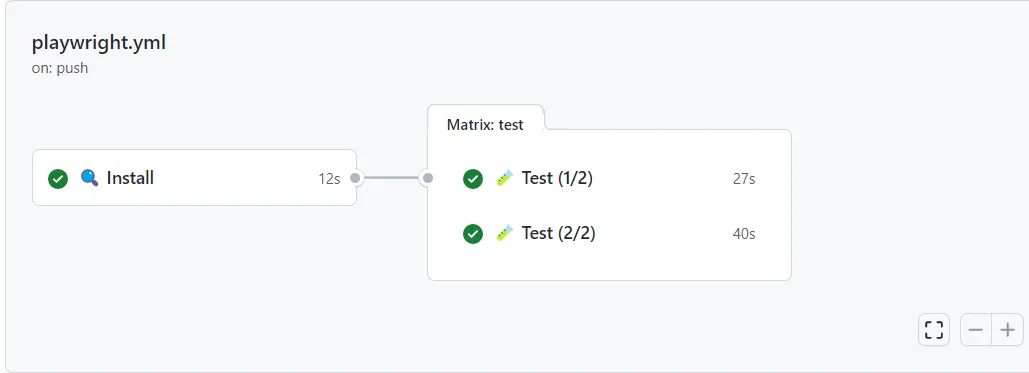
Because the intallation step is removed, this also lowers the time it takes to run the workflow. But it doesn't come without a cost, adding a caching layer need to be maintained, and can also result in hard to find bugs.
Result
Combining test shards with parallel jobs helps to keep the time it takes to run your test suite to a bare minimum.
As an example, take a look at the demo GitHub repository "playwright-sharding", which I've used to test the shard option with Playwright. The following commits are made to improve a default workflow to a workflow that uses shards, GitHub jobs, and caching:
Before
After
This post is inspired by the following tweet, showcasing the new shard option in Jest 28.
https://twitter.com/diegohaz/status/1526184439830781952
Related articles
- Merging your Playwright sharded reports into a single HTML report
- Create and run Playwright test sets using tags and grep
Feel free to update this blog post on GitHub, thanks in advance!
Enjoying the blog?
Support my work
If you enjoyed this post and found it useful, consider supporting my work. It helps me keep creating and sharing content like this. Thank you!