Specify your Node.js version for the Azure Static Web App GitHub Action


Learn how to specify the Node.js version for the Azure/static-web-apps-deploy GitHub action.
While migrating my blog to an Azure Static Web App, I encountered a minor issue that occured during the build process within the GitHub workflow.
I created the Azure Static Web App via the Azure Portal (you can also use the VSCode Extension, or the Azure CLI), which automatically created a GitHub workflow (azure-static-web-apps-salmon-rock-0fb035b03.yml) on my GitHub repository.
The worflow uses the Azure/static-web-apps-deploy GitHub action to build and deploy the application, and was already pre-configured.
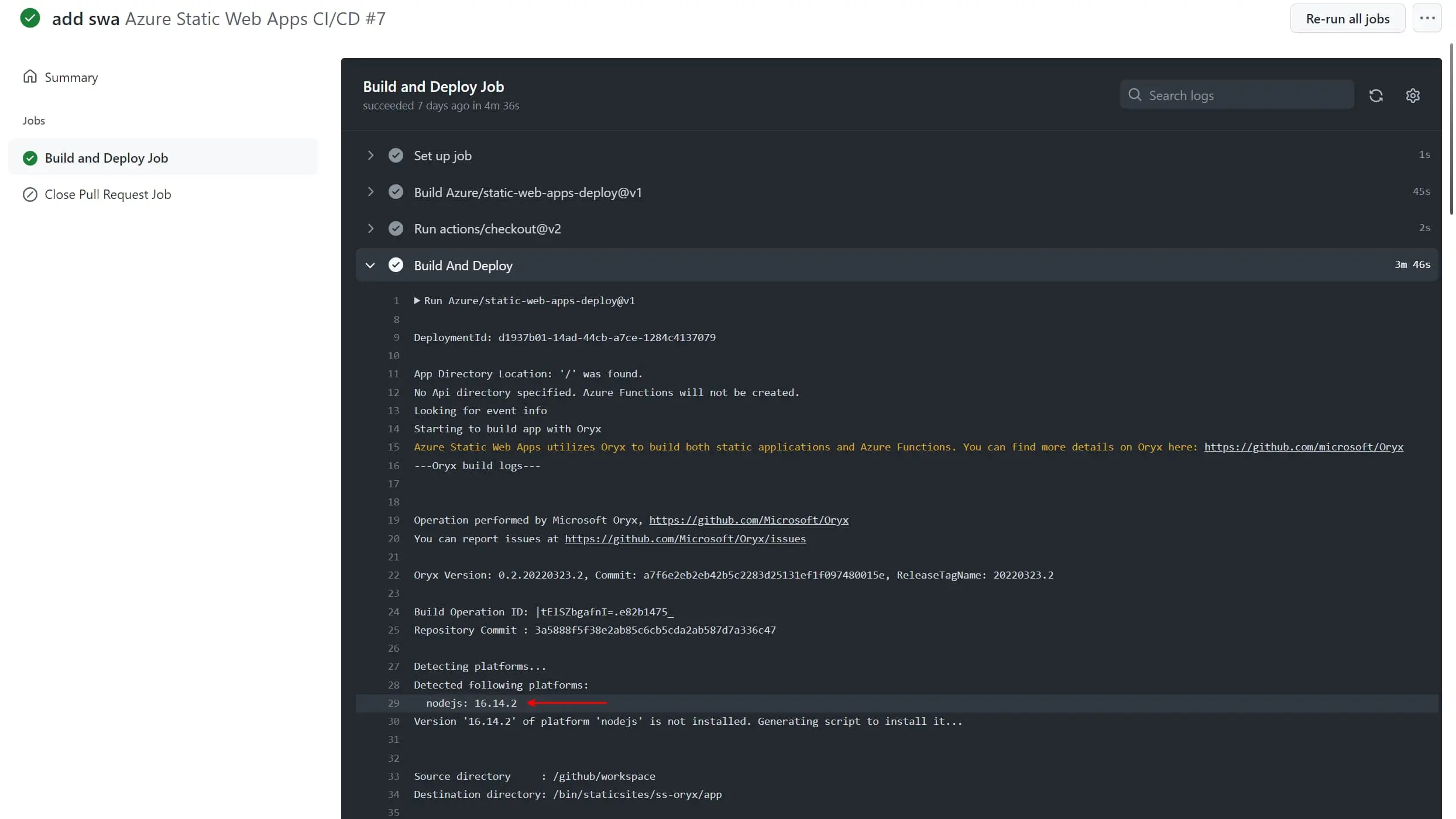
The problem I encountered was that my blog required a different Node.js version than the one that was used by the action. The action was using the default Node.js version (14.x), while my blog required version 16.x.
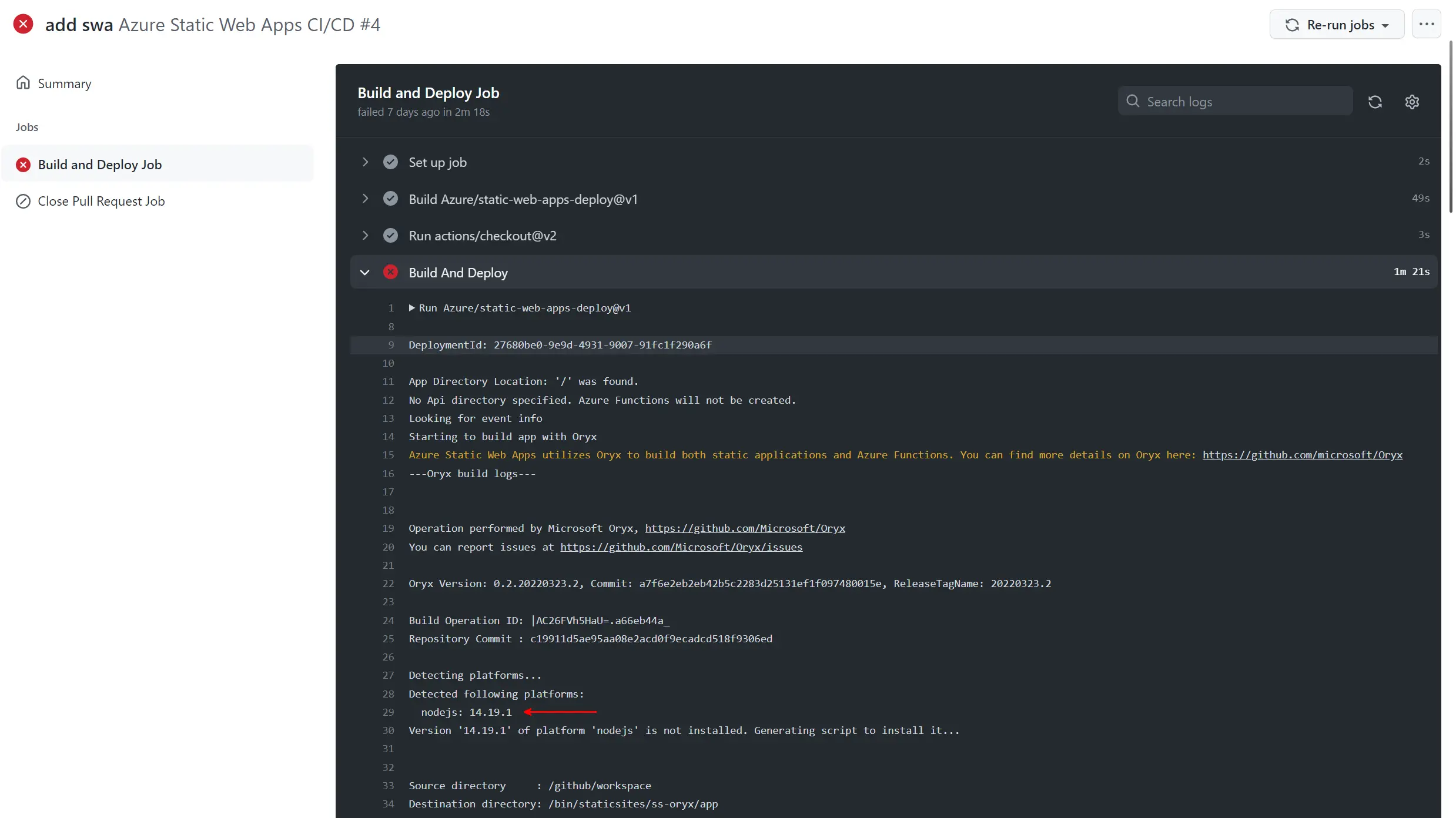
Because the GitHub action doesn't support specifying a Node.js version, the solution is to specify the Node.js version within the package.json file.
To do this, use the engines field.
package.json
Feel free to update this blog post on GitHub, thanks in advance!
Enjoying the blog?
Support my work
If you enjoyed this post and found it useful, consider supporting my work. It helps me keep creating and sharing content like this. Thank you!