Simplified Node.js Version Management with fnm
Are you working on multiple projects that each require a different Node.js version, and are you tired of juggling between them? Then I've got the right tool...
Are you working on multiple projects that each require a different Node.js version, and are you tired of juggling between them? Then I've got the right tool for you, fnm (Fast Node Manager).
fnm is a Node.js version manager that allows you to install and switch between different Node.js versions on the fly.
What I especially like about fnm, compared to similar version managers, is that it provides a seamless experience by automatically switching to the correct version when it detects a .node-version (or .nvm) file in your project's directory.
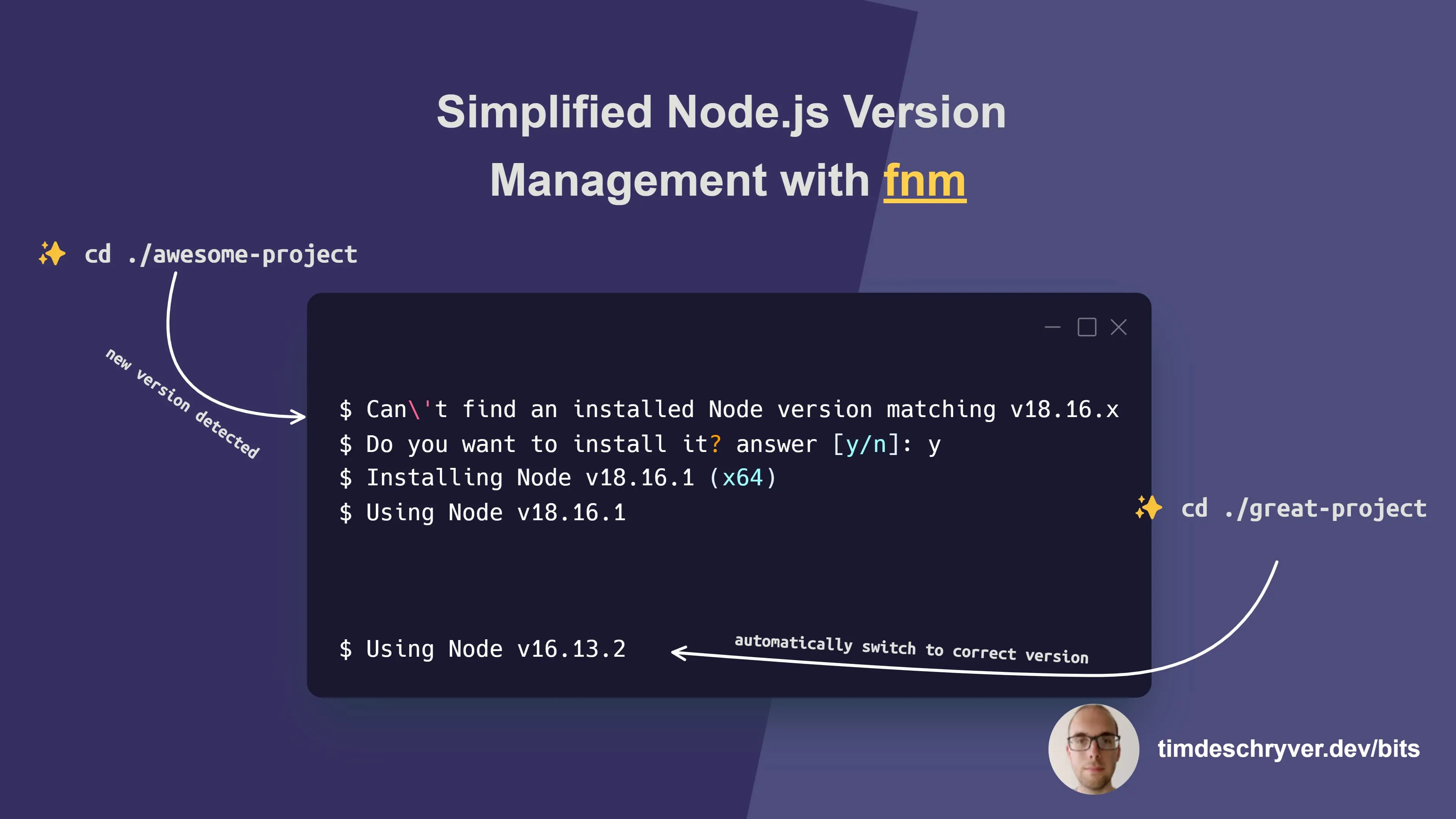
For example, let's say you have two projects, awesome-project and great-project, and each of them requires a different Node.js version:
In the preceding example, fnm automatically switched to the correct Node.js version for each project.
Because awesome-project requires a Node.js version that isn't installed yet, we received a prompt asking if we want to install it.
To set the Node.js version for a project, create a .node-version file in your project's directory and add the version number to it:
.node-version
Other helpful fnm commands are install, use, default, and current:
Bonus: GitHub Codespaces is great to use for switching between multiple project configurations that require bigger changes, when you just need a clean environment to work in, or to quickly test something out. You can easily create a new Codespace while working (or using an existing Codespace for reviewing) for changes that have a big impact on your environment, e.g. an upgrade of an SDK, such as .NET, Node.js, ...
Feel free to update this developer bit on GitHub, thanks in advance!