Different scenarios require different Entity Framework behaviors
Don't just duplicate the way you query entities in your project, consider tweaking how entities are retrieved for some specific scenarios. Being attentive to...
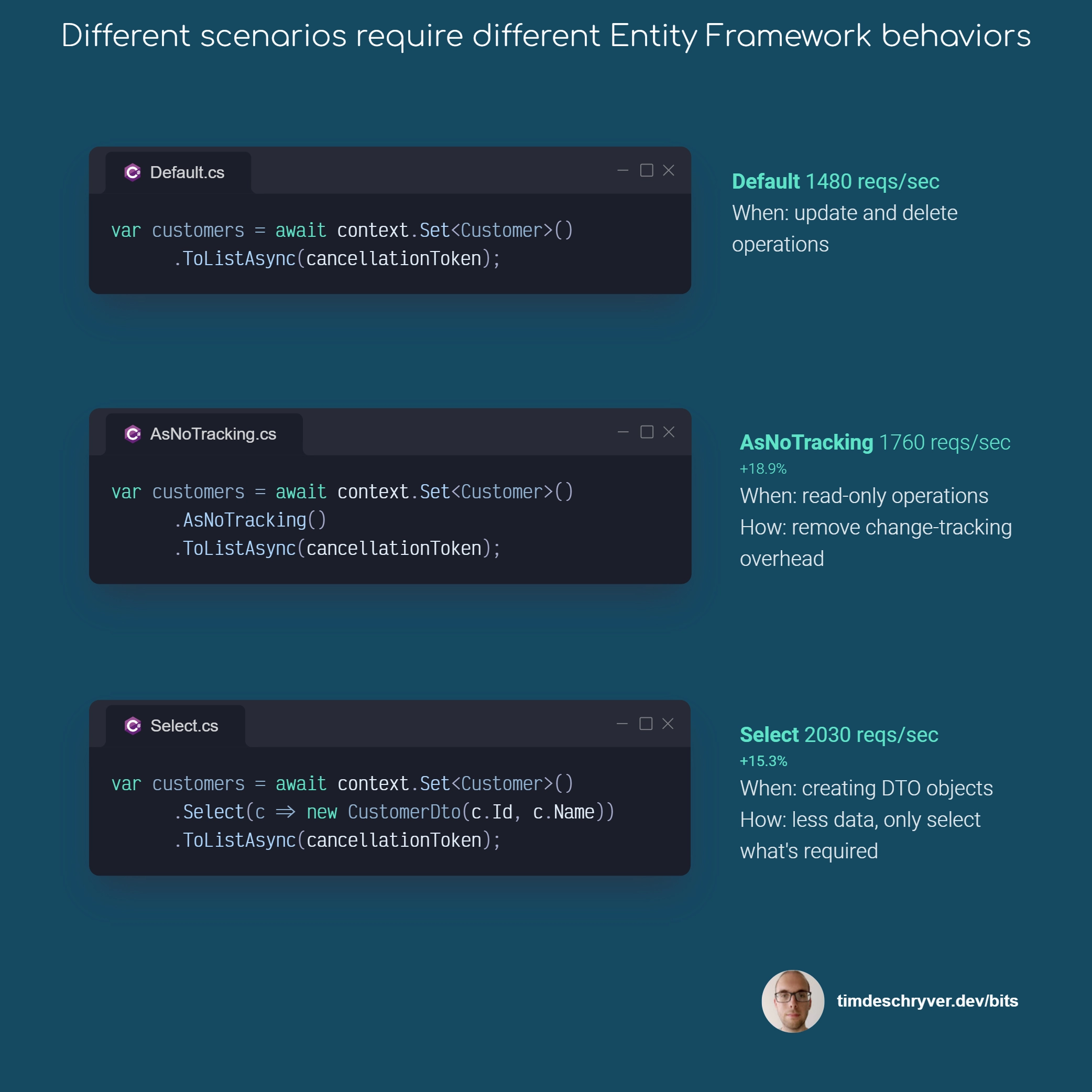
Don't just duplicate the way you query entities in your project, consider tweaking how entities are retrieved for some specific scenarios. Being attentive to how you query entities improves the performance of your application and reduces the load.
Let's go over some differences and compare their results using the Northwind database.
The default behavior retrieves a "full-blown" entity with all its properties, and it's tracked by the Entity Framework context to allow efficient updates.
For read-only scenarios, where you don't intend to update the entities, you can improve the performance by using the AsNoTracking method.
Using AsNoTracking reduces the overhead of the change tracker, for more information see the documentation.
From my experience, this improves the performance of the application by 18.9%.
When querying entities, avoid selecting all columns when it's applicable.
Instead, select only the columns you need and create your Data Transfer Objects (DTO).
This reduces the amount of data transferred between the database and your application, resulting in better performance.
From my experience, this improves the performance of the application by +15.3% (compared to the AsNoTracking solution).
As a bonus, this approach also makes your application more resilient to relational changes as you don't need to manually include child entities using the Include method.
To be complete, the following variations are also possible:
context.Database.SqlQuery<Customer>doesn't track changes;context.Customers.FromSqldoes track changes;context.Set<Customer>.FromSqldoes track changes;
Feel free to update this developer bit on GitHub, thanks in advance!